It’s 11 p.m. You’re in bed with your phone six inches from your face. Four comparison articles later, you still have no idea what to buy.
That frustration is fair. You are spending hundreds of dollars and may live with this choice for years. So let’s skip the fan wars and make the decision practical.
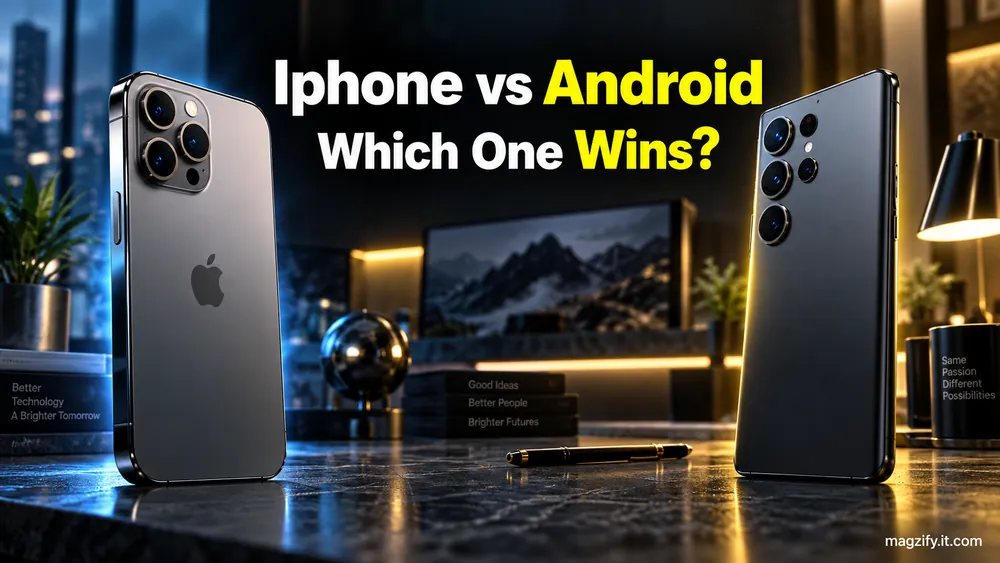
There is no universally better phone, but there is a better phone for you. Your current devices, budget, and favorite daily task matter more than processor scores.
The honest verdict is: Buy an iPhone if you own an Apple Watch or Mac, record lots of video, value resale, or want a predictable interface. Buy Android if your budget is under $600, you want more hardware choices, or you value customization. If your current phone works, keep it and consider replacing the battery.
How we evaluated: We compared current manufacturer policies, support documents, health-data tools, accessibility features, and repair programs. Prices and repair quotes change by model and location, so confirm them before buying. Last reviewed September 2026.
The 30-Second Verdict
Start with the devices you already own. An Apple Watch makes the iPhone the sensible choice. Android offers more freedom if you are not tied to Apple hardware.
- Choose iPhone for Apple Watch pairing, strong video, resale value, and a consistent interface.
- Choose Android for lower entry prices, foldables, large screens, launchers, and wider hardware choice.
- Choose neither when a battery replacement can revive your current phone.
At-a-Glance: iPhone vs Android
Android wins on choice, while iPhone wins on ecosystem cohesion. Several other categories depend on the model and wearable you choose.
| Criteria | iPhone and iOS | Android | Better fit |
|---|---|---|---|
| New-phone range | Apple’s current iPhone lineup | Budget phones, flagships, and foldables | Android for broader choice |
| Published support | No fixed number of years | Seven years for Pixel 8 onward and Galaxy S24 onward | Eligible Android flagships |
| Ecosystem | Deep Apple Watch, Mac, and AirPods links | Better cross-brand flexibility | Depends on existing devices |
| Customization | Limited system control | Launchers, default apps, and sideloading | Android |
| Camera | Consistently strong video | More zoom, sensor, and form-factor options | Depends on the task |
| Health | Apple Health and Apple Watch | Health Connect, Fitbit, Samsung Health, and Wear OS | Depends on the watch |
| Resale | Historically stronger | Varies widely by brand and model | iPhone |
The 3 Criteria That Actually Decide It (Ignore the Rest)
Three questions settle most iPhone vs Android decisions. Answer these before comparing cameras or artificial intelligence features.
1. What do you already own?
An Apple Watch requires an iPhone for setup. Family Setup lets someone use a watch without owning an iPhone, but another iPhone is still needed to configure it.
If you own a Mac, AirPods, and Apple Watch, switching costs more than the new phone. You may need a new watch, new apps, and a different workflow.
2. What can you spend, and how long will you keep it?
Android usually offers more options below $600. At flagship prices, compare the exact iPhone, Pixel, or Galaxy instead of comparing operating systems.
Planning to keep it for five years or more? Favor a phone with dependable batteries, available repairs, and long software support.
3. What is your one essential task?
- Video creator: Start with iPhone.
- Foldable fan: Choose Android.
- Health tracker: Pick the watch first.
- Older buyer: Test text size, hearing tools, and family support in person.
Refresh rates, RAM totals, and benchmark scores rarely change your daily life. Your core workflow does.
Ecosystem & Lock-In: The Criterion Nobody Warns You About
If you own two or more Apple devices, switching costs more than the phone. If you own none, you have much more freedom.
Apple Watch does not pair with Android. AirPods can connect over Bluetooth, but some Apple-only features disappear. Mac users also lose seamless tools such as AirDrop and certain Continuity features.
Google services work well on iOS. Apple services are less open. FaceTime can invite people through web links, but Android does not offer a full FaceTime app.
RCS has improved cross-platform messaging. Modern iPhones can exchange better-quality media and richer messages with supported Android devices. Green bubbles remain, however, and chat behavior still varies by carrier and app.
Software Support & Longevity: Where Android Now Wins on Paper
Selected Android flagships have the clearest published commitments. Google promises seven years of support for Pixel 8 and later. Samsung made a seven-year commitment for the Galaxy S24 generation and later eligible flagships.
Apple does not publish a fixed support period. Its track record is long, but a history of updates is not the same as a written commitment.
The battery often decides real-world lifespan. A phone can receive updates yet feel unusable when its aging battery cannot last through lunch.
Check battery health, repair availability, and replacement quotes for the exact model. Budget Android support also varies widely. Never assume every Android phone receives the same policy as a Pixel or Galaxy flagship.
The 3-Year Cost of Ownership (What the Top 10 Won't Show You)
The sticker price is only the first cost. Accessories, repairs, trade-in value, and abandoned devices can change the result.
| Cost item | iPhone path | Android path |
|---|---|---|
| Device | Current unlocked Apple price | Current unlocked price for the chosen brand |
| Charger | Add a USB-C power adapter if needed | Check the exact box contents |
| Case and protector | Add compatible accessories | Add model-specific accessories |
| Screen repair | Use Apple’s live repair estimator | Use the manufacturer’s live repair quote |
| Battery service | Use Apple’s model-specific quote | Check authorized local availability |
| Switching costs | Possible watch and app replacements | Possible watch, accessory, and app replacements |
| Resale | Subtract a current trade-in offer | Subtract the exact model’s trade-in offer |
Write down those seven amounts before checkout. Carrier promotions can look cheap while requiring premium plans or long installment agreements.
Compare unlocked prices and total plan costs. Do not treat a conditional trade-in credit as free money.
Switching Platforms: The 9-Step Workflow Nobody Explains
You can switch without losing your digital life, but order matters. Do not erase or trade in the old phone on day one.
- Make a full backup. Include local files and cloud data.
- Deregister iMessage before moving from iPhone to Android.
- Transfer photos and videos using an official migration tool or cloud service.
- Export contacts, calendars, and any notes you need.
- Migrate authenticator apps first. Confirm that every important login works.
- List paid apps and find replacements for unavailable purchases.
- Confirm the carrier unlock, then transfer the SIM or eSIM.
- Pair earbuds and check whether your watch supports the new platform.
- Keep the old phone for 30 days. Use it as a fallback before wiping it.
Also review encrypted chat backups and finance apps. Some transfers require separate steps. Doing this before a trip or important workday only adds stress.
Privacy & Security: An Honest Read
Both platforms can be secure when updated and used carefully. They simply balance control and default protection differently.
Apple’s App Tracking Transparency makes apps request permission before tracking activity across other companies’ apps and websites. Apple also controls hardware, software, and its main app store closely.
Android includes Google Play Protect and stronger installation warnings. It also permits more software sources and user control. That flexibility increases risk when people install unknown apps.
- Install operating system updates promptly.
- Use a password manager and multi-factor authentication.
- Avoid apps from unknown links or message attachments.
- Review camera, microphone, location, and health permissions.
“Android is a virus magnet” is outdated. The more useful question is whether you want tighter defaults or greater control.
Health, Sleep, and Skin: The Part Tech Sites Skip
Your wearable matters more than your phone for health tracking. Neither system turns consumer sensors into clinical tools.
Sleep tracking
Apple Watch works with Apple Health. Android supports choices such as Fitbit, Samsung Health, Health Connect, and Wear OS devices.
Sleep stages are estimates, not diagnoses. A watch can help reveal patterns, but it cannot confirm sleep apnea or another condition. Discuss persistent symptoms with a clinician.
Eye strain and blue light
Both platforms offer warmer evening colors and dark themes. These settings may feel more comfortable, but they are not proven shields against eye damage.
The American Academy of Ophthalmology says there is no scientific evidence that blue light from digital devices damages the eyes. It recommends regular viewing breaks for digital eye strain.
- Follow the 20-20-20 rule: every 20 minutes, look 20 feet away for 20 seconds.
- Match screen brightness to the room.
- Increase text size instead of holding the phone closer.
- Blink often and reduce glare.
Sleep and mental health
Screen Time and Digital Wellbeing offer similar core controls. Both include app limits, focus tools, and bedtime features.
The better system is the one you will use. A bedtime schedule means little if you dismiss it every night. Charging the phone outside the bedroom creates a stronger boundary.
Fitness and health data portability
Who owns your five years of health data? Apple Health can export health and fitness records in XML format. Android’s Health Connect supports data backup and export to cloud storage.
Export does not guarantee a perfect transfer. Apps may label, calculate, or display the same data differently. Save an export before changing platforms.
Skin and beauty apps
Neither platform has a meaningful overall advantage for beauty or skin-tracking apps. App quality and privacy policies matter more than the phone logo.
A phone photo can document a change. It cannot diagnose a rash, mole, or skin disease.
Repairability & the Environment
The greener phone is usually the one you keep longer. Repair access, battery service, and software updates matter more than a launch-day sustainability claim.
Apple launched Self Service Repair in the United States in 2022. Samsung also operates a self-repair program for supported devices. Parts and eligible models change, so check current coverage before buying.
New iPhones use USB-C, as do most modern Android phones. One shared cable can reduce accessory clutter and make replacement easier.
The UN’s Global E-waste Monitor reported 62 million metric tons of electronic waste generated worldwide in 2022. Keeping a working phone longer is a small but direct response.
Pros & Cons
iPhone favors consistency, while Android favors choice. Neither list applies equally to every model.
iPhone pros
- Strong Apple Watch and Mac integration
- Consistent video performance
- Historically strong resale value
- Predictable accessibility controls
- Long update history
iPhone cons
- No published fixed support term
- Higher entry price than many Android phones
- Less interface customization
- Apple Watch lock-in
- Repair costs vary and can be substantial
Android pros
- Wide range of prices and sizes
- Foldable phones and varied cameras
- Launchers and default-app control
- Sideloading outside the main app store
- Seven-year support commitments on eligible Pixel and Galaxy flagships
Android cons
- Update policies differ by manufacturer
- Budget models may receive shorter support
- Resale value varies widely
- Quality and repair access differ by model
"It Depends": Honest Ties, Named Out Loud
Some categories have no honest universal winner. The exact phone, watch, and task change the result.
| Question | Honest answer |
|---|---|
| Which has the better camera? | iPhone often suits video; Android flagships offer more zoom and hardware variety. |
| Which is more secure? | Both are strong when updated. Android gives more control; iPhone uses tighter defaults. |
| Which is better for health? | Choose the watch and health-data system first. |
| Which lasts longer? | Battery care, repair access, and model-specific support determine useful life. |
Choose Neither: When the Right Answer Is Not Buying a Phone
A working phone is often the best-value phone. A weak battery alone is not a reason to replace the whole device.
- Replace the battery if performance is fine but runtime has dropped.
- Buy a certified refurbished flagship if your budget is tight.
- Choose a basic phone and tablet if fewer distractions are the goal.
- Buy a used mirrorless camera if portraits are your real priority.
- Choose the cheapest supported model if you only need calls, texts, and maps.
Before buying refurbished, check the warranty, battery policy, return window, carrier lock, and device identification status. A vague marketplace listing is not the same as a certified refurbisher.
Persona Matchmaker
Your situation points to a clearer answer than any generic score. Find the closest match below.
| You are | Buy | Because |
|---|---|---|
| Apple Watch owner | iPhone | The watch requires the iPhone ecosystem. |
| Budget below $600 | Android | You get more new-phone choices. |
| Parent buying for a tween | Midrange Android | Lower replacement cost and Family Link controls. |
| Older adult wanting simplicity | Test an iPhone first | Predictable menus and family support may help. |
| Video creator | iPhone | Video and Apple workflows are consistently strong. |
| Foldable buyer | Android | Apple does not offer a foldable iPhone. |
| Health-focused buyer | Pick the watch first | The wearable determines the health ecosystem. |
| Five-year value hunter | Eligible Pixel or Galaxy | The published support term is seven years. |
iPhone vs Android: The Short Answer
There is no universally better phone, but there is a better phone for you. Pick iPhone if you own an Apple Watch, AirPods, or a Mac. It also makes sense when video, resale, or a predictable interface matters most.
Pick Android if your budget is under $600, you want a foldable or large screen, or you need more app and interface control. Pixel 8 and later and eligible Galaxy S24-generation phones also offer clear seven-year support commitments.
Everyone else should consider keeping the phone they have. Replace the battery, clean the charging port, and remove unused apps first. You may discover that you do not need a new phone at all.
Frequently Asked Questions
Is Android actually better than iPhone?
No. Android offers more prices, designs, and customization. iPhone offers tighter Apple integration, strong video, and historically better resale. Your existing devices and budget decide which advantage matters.
What can iPhones do that Android phones cannot?
An iPhone can pair with Apple Watch and use Apple-only Continuity features with a Mac. Android phones cannot offer the same native Apple hardware integration.
Which is better, Android or iOS?
Check three things: what you already own, your maximum budget, and how long you keep phones. iOS suits Apple households. Android suits buyers who value choice and control.
What are the disadvantages of iPhone over Android?
iPhone has a higher entry price than many Android phones, less customization, no foldable option, and no published fixed update term. Repair and accessory costs also need model-specific comparison.
Can I switch from iPhone to Android without losing photos and texts?
Yes. Back up both local and cloud data, transfer photos, deregister iMessage, and move authenticator accounts before wiping the iPhone. Keep the old device until every important app and conversation is confirmed.
Do iPhones really last longer than Android phones?
Not automatically. Useful life depends on battery condition, repairs, and software support. Google and Samsung publish seven-year commitments for eligible flagships. Apple has a long update history but no fixed published term.
Which phone is better for sleep and health tracking?
Neither phone wins by itself. Choose between Apple Watch, Fitbit, Samsung, and other Wear OS devices first. Remember that consumer sleep and health readings are estimates, not medical diagnoses.